

Android · free

A family agrees.
The app remembers.

One shared screen for everyday home routines: what needs doing, what is already done, and which rewards were agreed on in advance. The same picture for adults and kids — no asking ten times, no arguing about who did what.

Get it on Google Play See how it works

Free. Android 8.0 and newer.

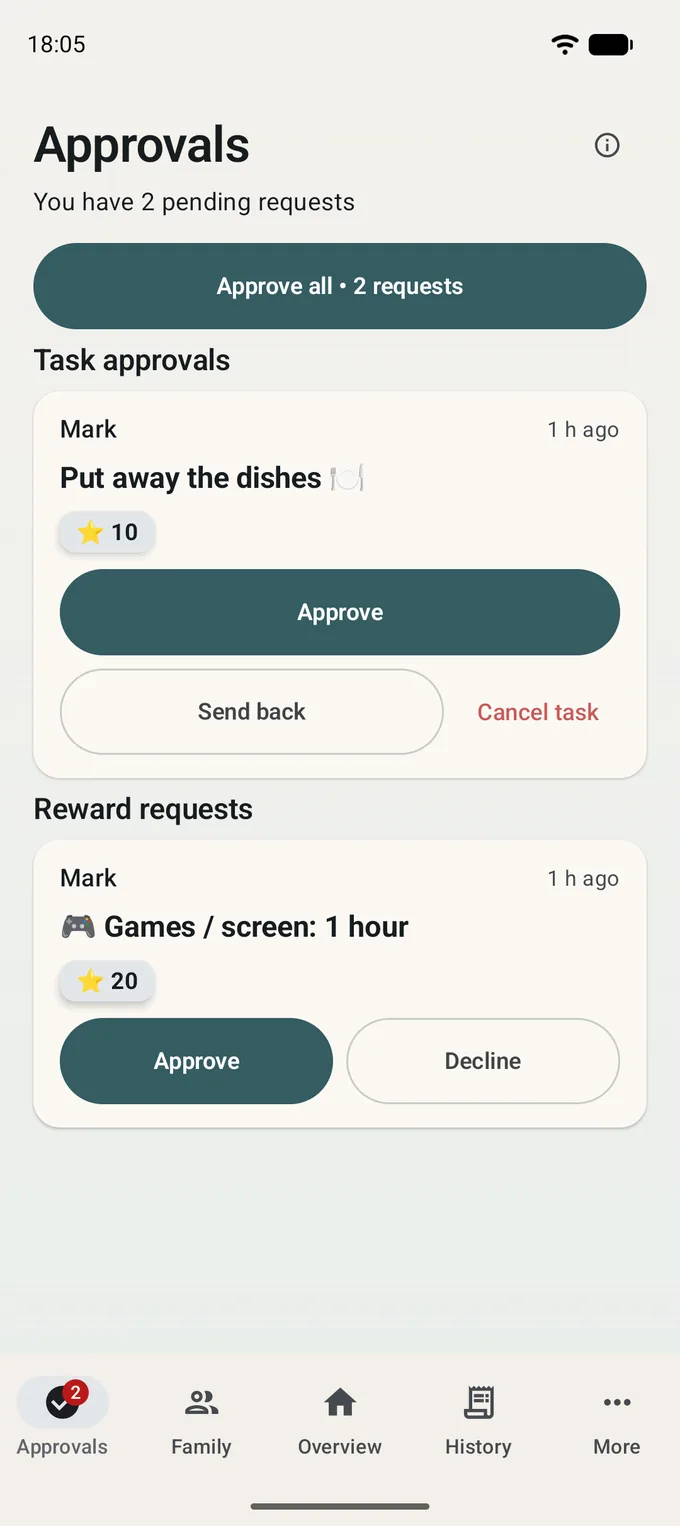
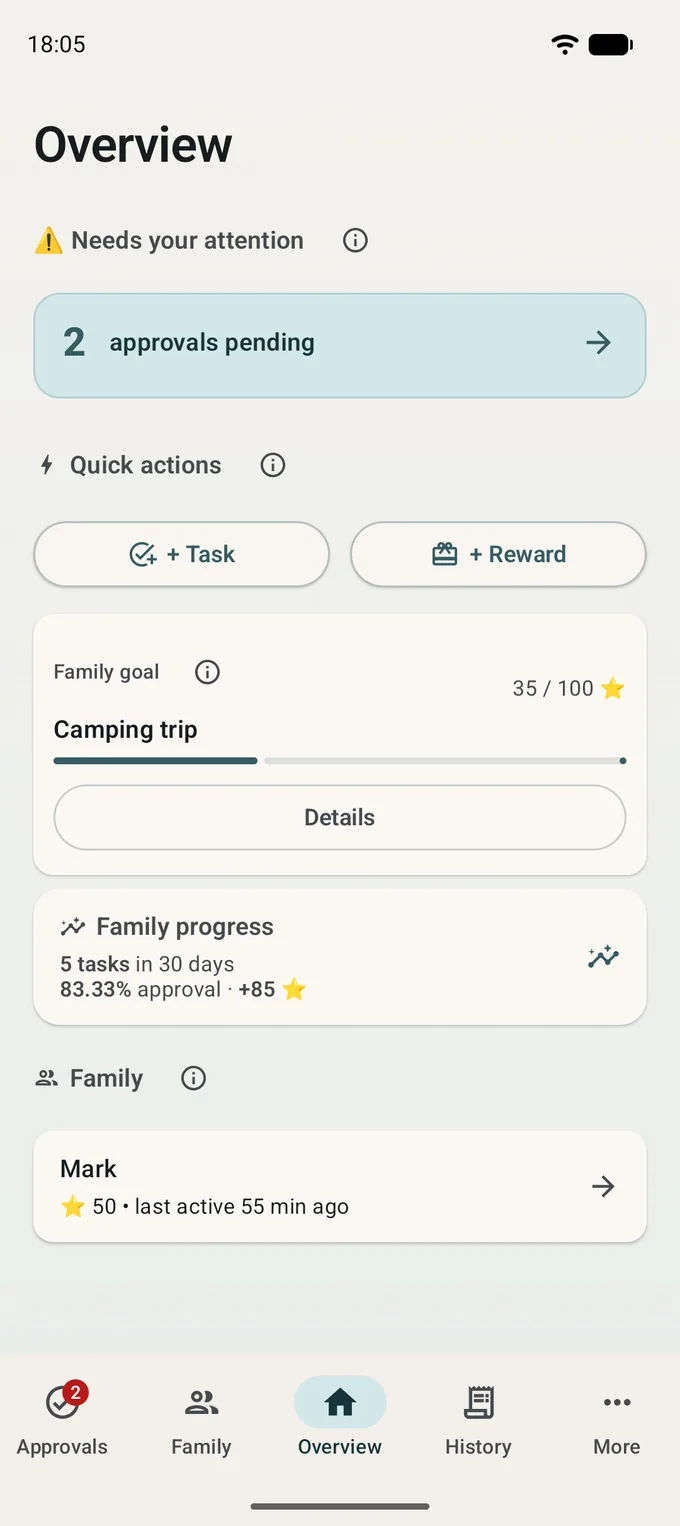
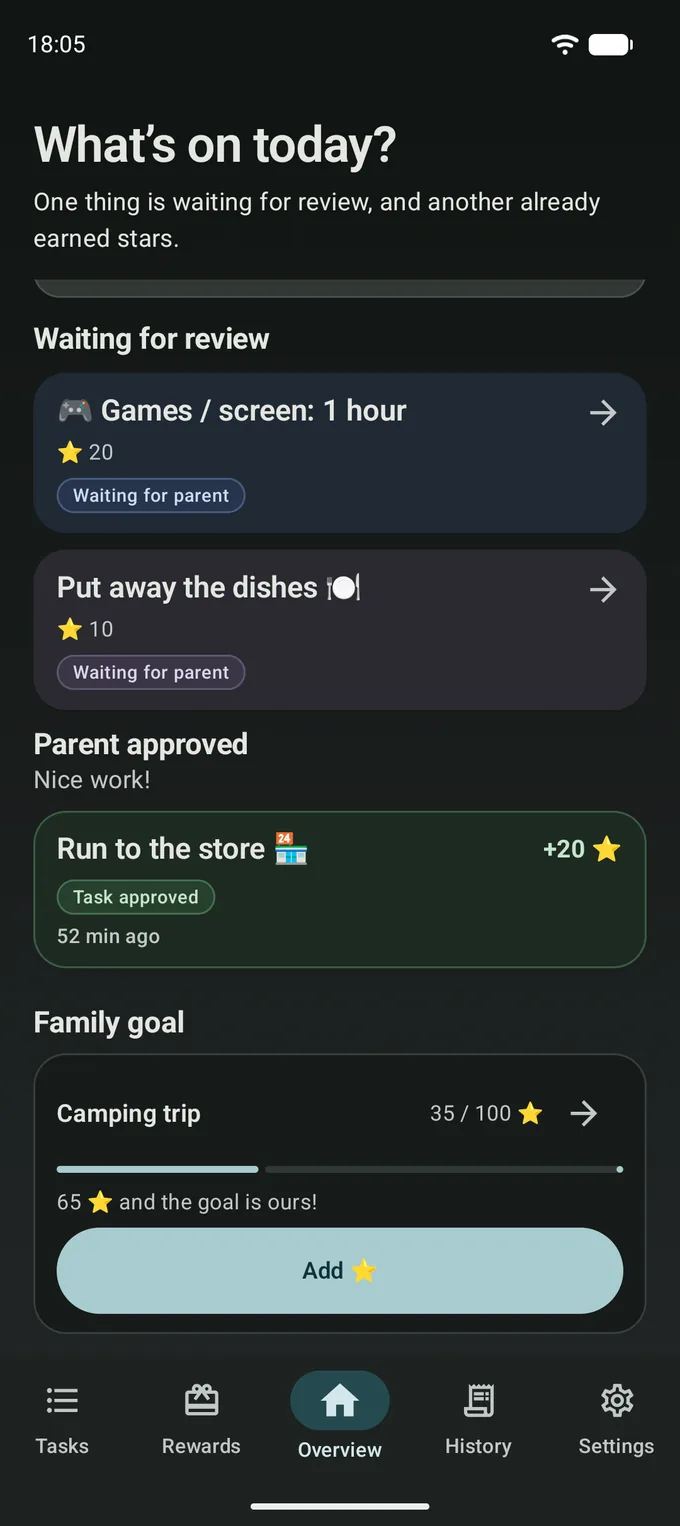
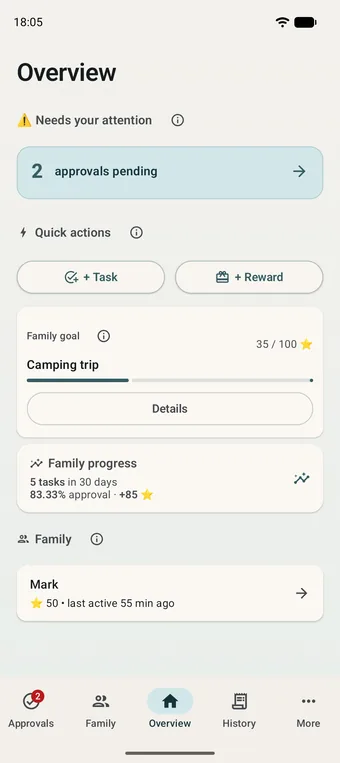
Adult screen: tasks awaiting review, the family goal and family members
Adult
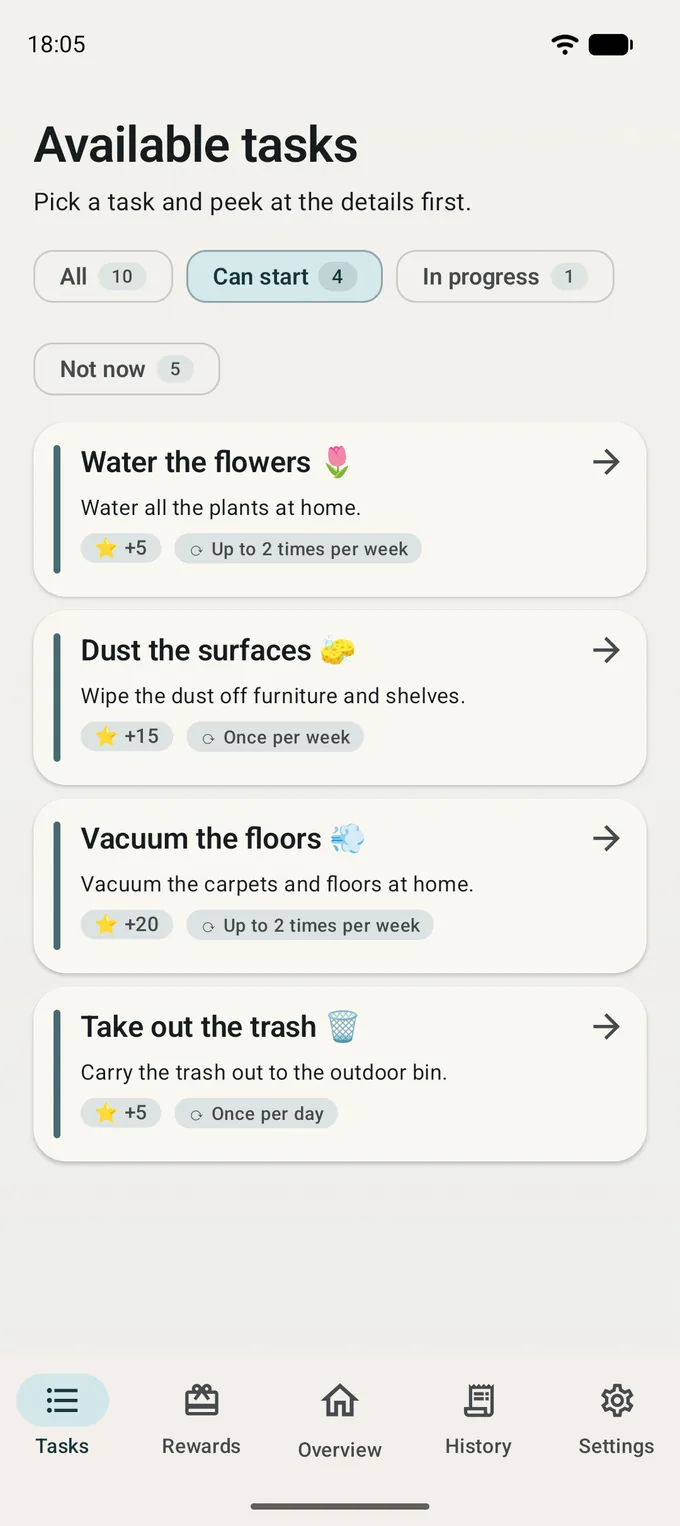
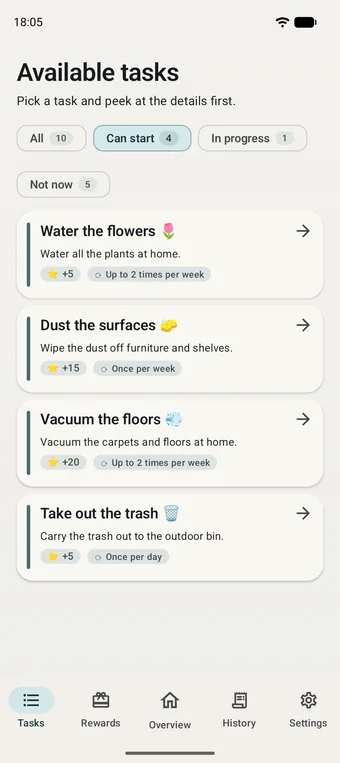
Child screen: the list of tasks available today
Child

One shared picture instead of ten reminders

Home routines rarely break down on the doing. They break down on remembering. Who promised what, what is already finished, and what comes of it — all of that lives in one adult's head, and almost never matches what the child remembers.

Family Agreements moves the agreement out into the open. The task is visible, the work is visible, the reward is named up front. There is nothing left to argue about — and the conversation in the family goes back to what it was for.

How it works

Five steps, and then it keeps going on its own

  1. An adult adds a task

    One tap from the starter catalogue, or in their own words.

  2. The child sees what is available

    They open the app and find today's options themselves.

  3. Done — sent for review

    One button. No more "but I told you yesterday".

  4. The adult approves

    In one tap — or asks them to finish up, with a clear reason.

  5. Points are added

    The child picks a reward the family agreed on earlier.

Different screens, one truth

Adult and child see the same event — each from their own side

For adults

Decide, don't police

  • Ready-made wording for everyday routines — the first task takes one tap
  • One-tap approval, including several tasks at once
  • Rewards you define yourself: screen time, a treat, a trip to the movies, a shared plan
  • A calm shared timeline: who did what, and when
  • Notifications only for what actually needs you
Approval screen: several completed tasks waiting for an adult to review

For kids

You can see what to do today

  • A clear list: what is open, what is in progress, what is awaiting review
  • Points and progress, with no comparison to other children
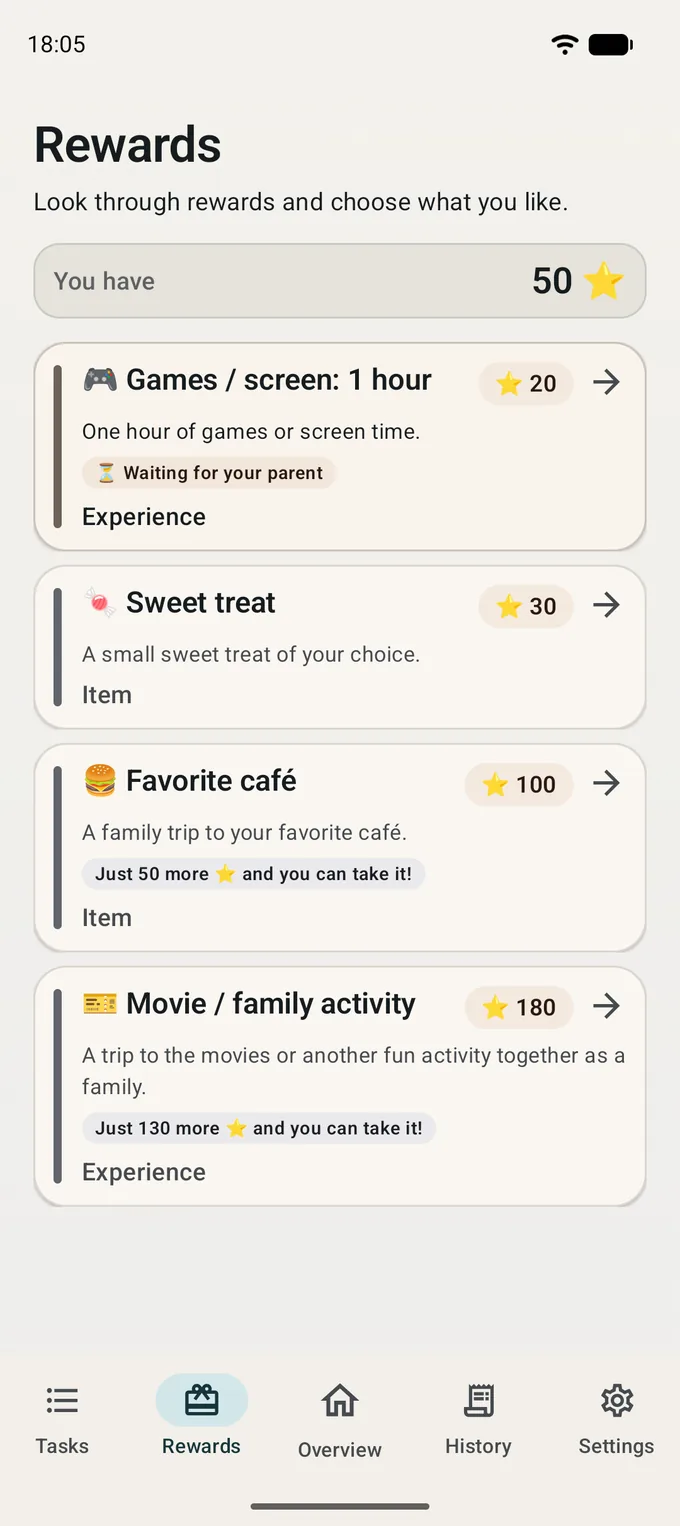
  • Rewards visible up front, together with how much is left to save
  • Sign-in with a QR code from a parent — no password, no email, no contacts
  • Dark theme and large fonts follow the system settings
Child screen: the reward catalogue and how many points are left to save

What's inside

A catalogue of home routines

Starters for an ordinary week: tidying up, homework, dishes, walking the dog. No need to invent the wording from scratch.

Review in one tap

The adult approves the work or asks for a bit more. The child sees the outcome and the reason right away.

Rewards you agreed on

No stranger's catalogue. The family invents the rewards, and the price in points is known in advance.

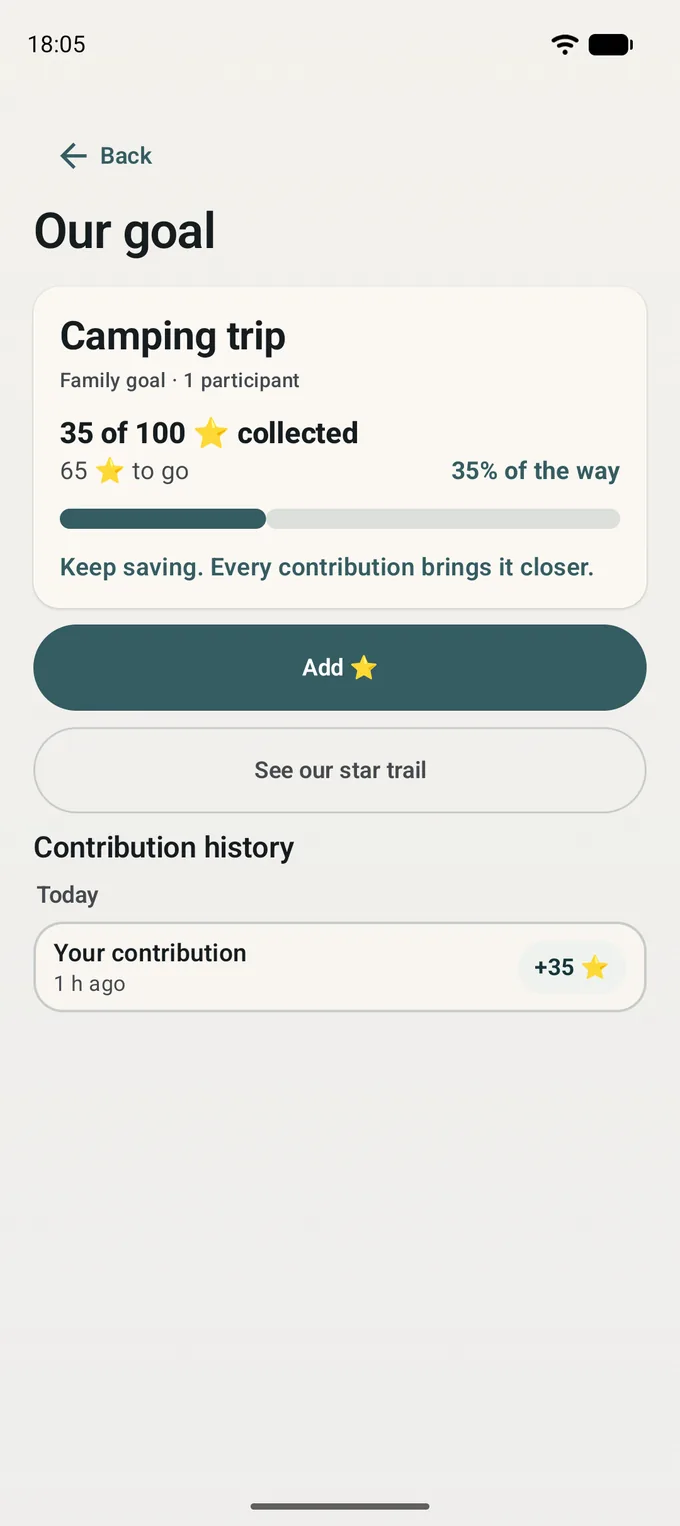
A shared family goal

A camping trip, a day out, a board game. Kids chip in points and watch the gap close.

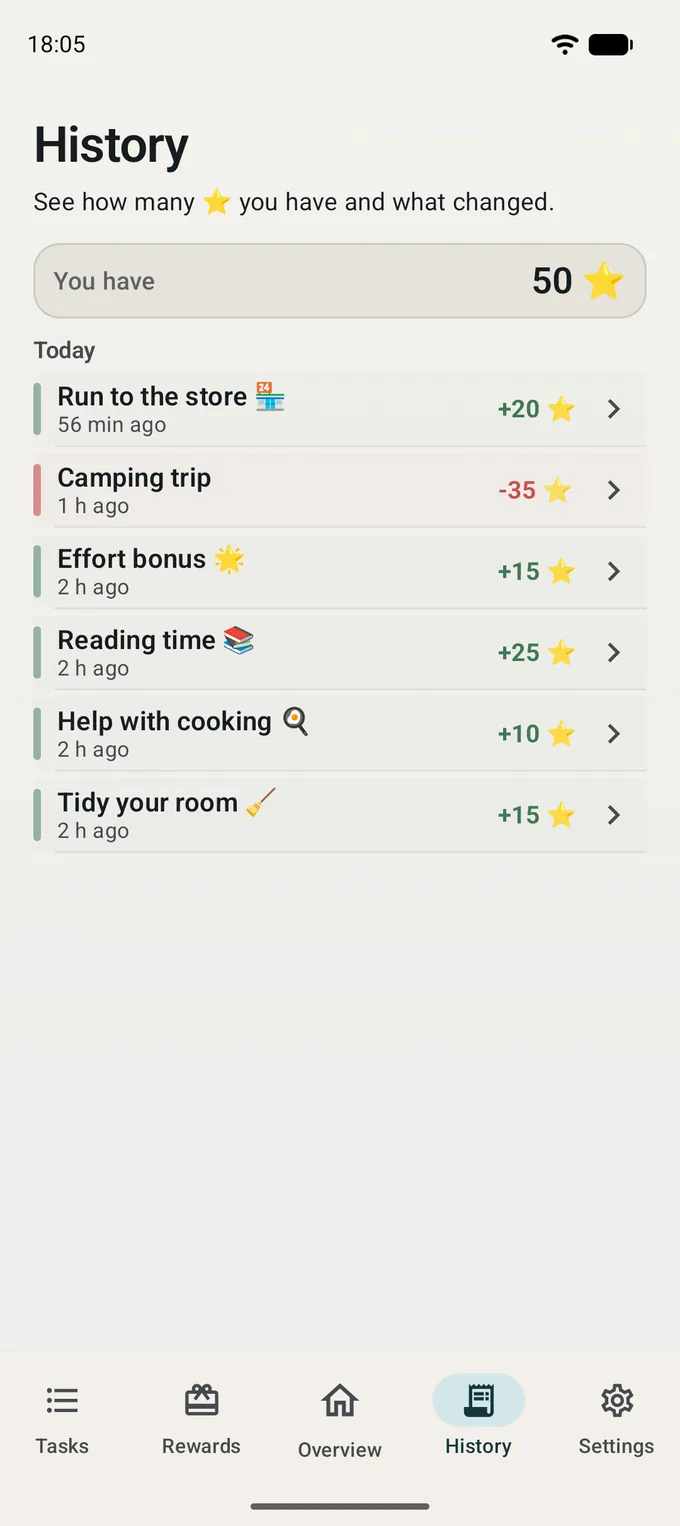
The story of every point

Where each point came from and where it went. One timeline you can go back to.

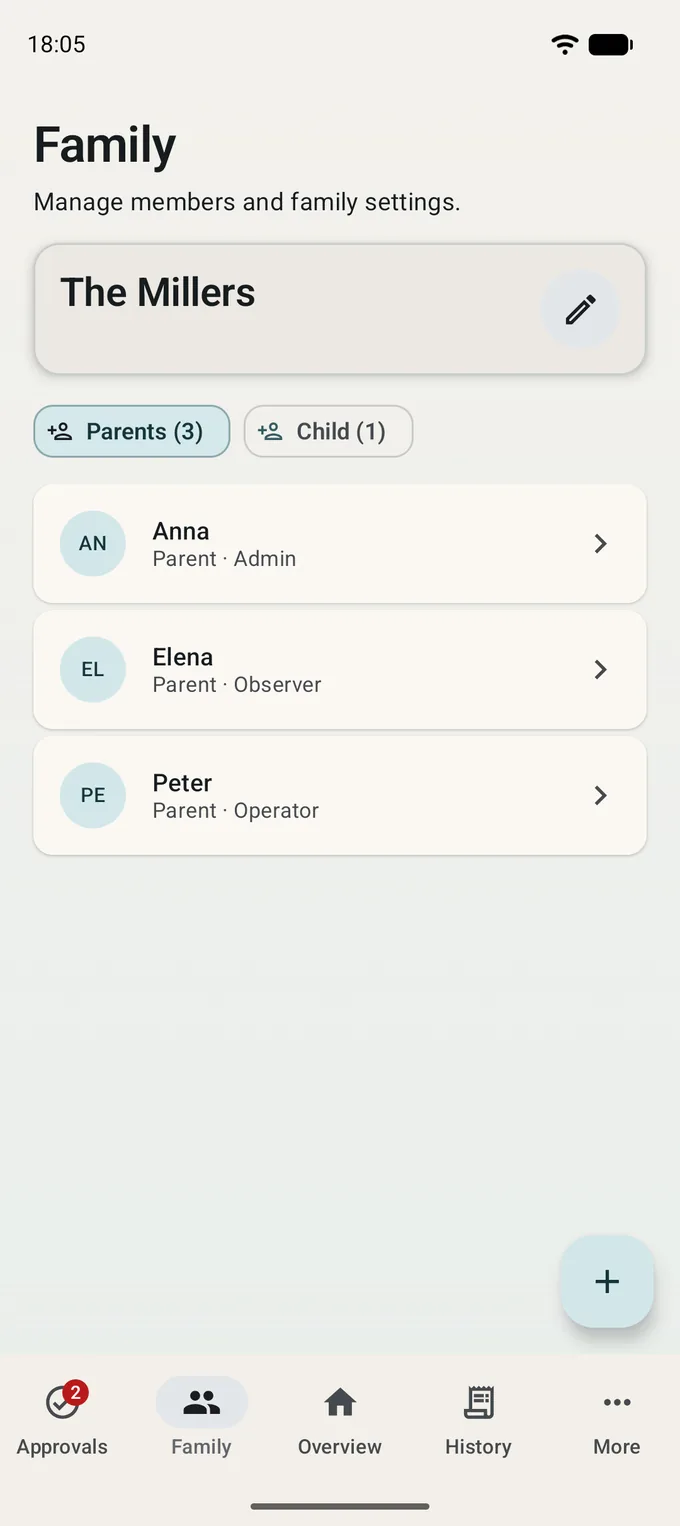
Roles for adults

Mom, dad, grandparents — in one space. Who decides, who helps out, who simply stays in the loop.

What it looks like

Real screens from the app, in light and dark theme

What this app does not do

These are decisions, not gaps. The app is here to encourage taking part, not to punish anyone for staying out.

  • No penalties and no deductions "for behaviour"
  • No negative balance
  • No expiring points
  • No leaderboards and no comparing children with each other
  • No ads and no advertising trackers

Points record an agreement — they are not money and not a grade for your child.

The free version stays complete

Family Pro adds what larger families need: several adults with roles, advanced task schedules and the full event history. Everything else works for free, with no time limit.

Common questions

Does a child need an email address or a phone number?

No. The child signs in with a QR code shown by an adult. The app asks a child for no email, no phone number and no access to contacts.

Can points be exchanged for money?

No. Points exist only inside your family and have no monetary value. The reward is handed over by an adult, not by the app — exactly as you agreed.

What does a child see of other people's activity?

Only what belongs to their family: shared tasks, the family goal and their own history. No other families, and no rankings between children.

Does the app show ads?

No. No ads, no ad networks, no tracking for advertising purposes — neither in the free version nor in Pro.

Try it with your own family

The first task takes one tap. After that the app simply remembers what you agreed on.

Get it on Google Play

Free. Android 8.0 and newer.